Forwarding Rules: Contact vs. Group – Which One Wins
Off, Number or Agent: forwarding rules can be set per contact and per group. Here's how they work together – and which rule takes priority.
In the app: AI Telephony → Contacts
Known callers don't have to talk to the AI first: with address book rules, they go straight to the right person or the right agent – before a conversation even starts. Rules work on two levels, and once you understand both, you can set up clean call routing in minutes.
The two levels
Contact rule: Right in the contact row, you choose one of three options for each person:
| Option | What it means |
|---|---|
| Off (“Aus”) | No automatic forwarding – the call goes to the AI agent as usual, which can already address the caller personally |
| Number (“Nummer”) | The caller is put through to a fixed phone number |
| Agent | A specific Callana agent handles the call |
Group rule: In the group window, you enable a forwarding rule for the whole group (type Phone number (“Rufnummer”) or Agent). As the app itself puts it, the rule applies to all contacts without their own rule.
Which one wins: The contact rule beats the group rule. The group sets the default; the individual contact is the exception.
How to set it up
- Check the agent prerequisites: General tab (“Allgemein”) → Enable address book (“Adressbuch aktivieren”); Functions tab (“Funktionen”) → Address book forwarding (“Adressbuch-Weiterleitung”) checked.
- Set the default per group: Edit the group → enable the forwarding rule → choose type and destination.
- Exceptions per contact: In the contact row, set Off, Number or Agent for the people concerned. [Screenshot: contact row with the options Off / Number / Agent]
A real-world example
A wholesaler routes every contact in the “Suppliers” group to the purchasing department's number with a group rule. Two key suppliers have their own contact rule pointing to the managing director's direct line – and that rule wins. Everyone else follows the group, and new suppliers are routed correctly as soon as they're added to the group.
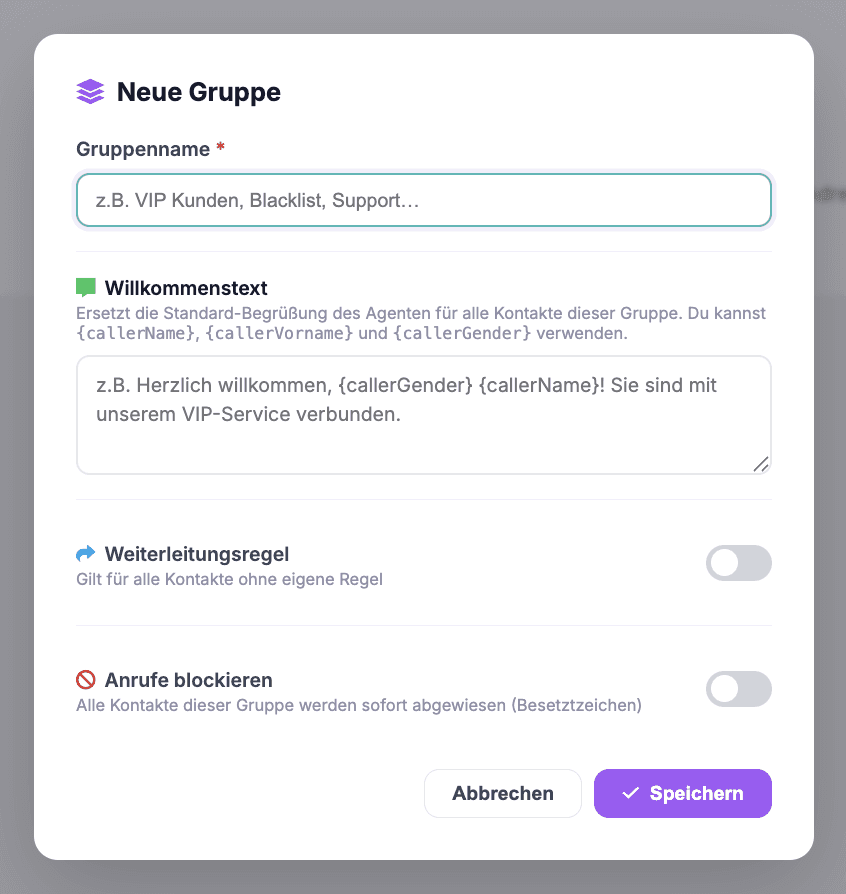
Where: AI Telephony (“KI-Telefonie”) → Contacts (“Kontakte”, rules per contact) or Contacts → Groups (“Gruppen”, rules per group)
Good to know
- Don't mix them up: Address book forwarding can put known callers straight through without an AI conversation. Live call transfer during a call (based on triggers such as “if the caller has a technical question”) is a separate function with its own article.
- The third group option is Block – all contacts in the group hear a busy signal (see the blacklist article).
- Rules rely on number recognition, so contacts need a phone number on file.
- You can keep track of forwarded minutes on the Overview under Plan & Usage (“Tarif & Verbrauch”).
Last updated July 17, 2026
Related
- Create & manage groups: rules for many contacts at onceGroups bundle contacts under shared rules: a custom greeting, transfer to a number or agent – or blocking.
- Transfer calls to the right person with schedules and alertsSet up multiple transfer destinations with plain-language rules, time windows and notifications – your agent automatically puts callers through to the right person.
- Assign functions: decide what your agent can doSix functions, one checkbox each: decide per agent what it should handle – from requests and call transfers to address book transfers.
