Add & Edit Contacts Right in the Table
Add and edit contacts right in the table: salutation, name, company, phone number, group and call forwarding – no extra forms to fill out.
In the app: AI Telephony → Contacts
The address book is the foundation for everything personal in Callana: the agent can only greet callers by name, put them straight through or block them if it knows who they are. You manage it directly in the table – open a new row, fill in the fields, click the checkmark.
How it works
- Open Contacts (“Kontakte”) and click + New (“+ Neu”) in the top right – a new input row appears in the table.
- Fill in the fields: Salutation (“Anrede”: Mr./Ms.), Last name, First name, Company, Phone and Address. The most important field is the phone number – that's how the agent recognizes the caller. International format works best (+43 …). [Screenshot: input row in the contacts table]
- Optionally, in the same row: choose a group (dropdown) and set individual call forwarding – Off (“Aus”), Number (“Nummer”) or Agent.
- Confirm with the green checkmark (the X discards your entry).
- Edit existing contacts the same way, right in the row – change a field, click the checkmark, done.
- To find a contact again, use the search field at the top or the A–Z bar below the heading.
A real-world example
A plumber adds each new customer with their number after the first job and assigns them to the “Customers” group. When that customer calls again, the group rules kick in right away – from a personal “Hello, Mr. Maier” to a direct transfer to the master plumber. Time per contact: under a minute.
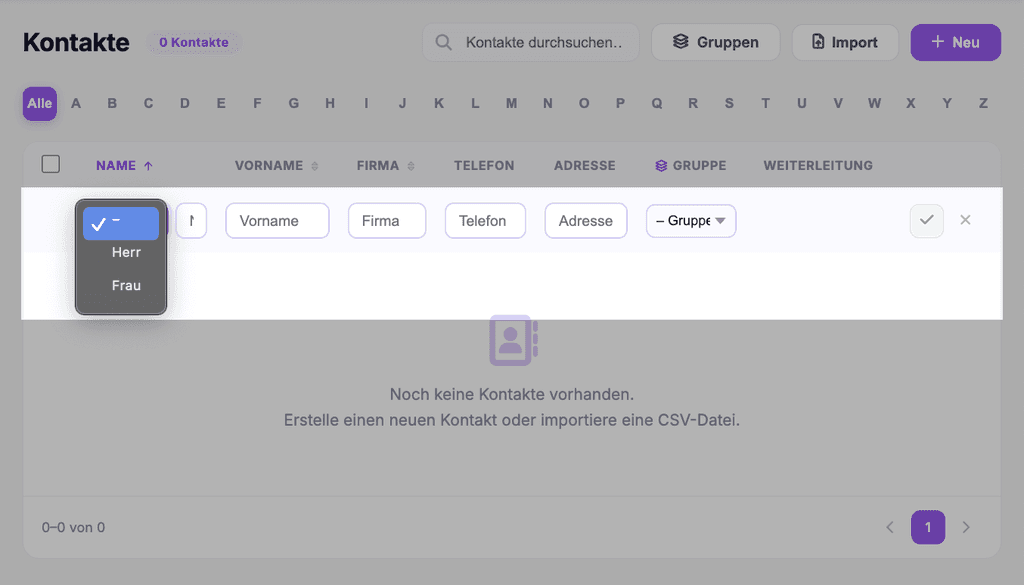
Where: AI Telephony (“KI-Telefonie”) → Contacts
Good to know
- The phone number is the key. A contact without a number won't be recognized when they call – greetings, call forwarding and the blacklist all rely on number recognition.
- For larger lists, use the Import button in the top right, so you don't have to enter hundreds of contacts one by one.
- Forwarding set on a contact takes priority over the group rule – see the article on forwarding rules for details.
- Address book rules apply to agents that have the address book enabled (Agents → General tab).
Last updated July 17, 2026
Related
- Create & manage groups: rules for many contacts at onceGroups bundle contacts under shared rules: a custom greeting, transfer to a number or agent – or blocking.
- Forwarding Rules: Contact vs. Group – Which One WinsOff, Number or Agent: forwarding rules can be set per contact and per group. Here's how they work together – and which rule takes priority.
- Personalized greetings with variables: “Hello {callerVorname}!”Greet known callers by name: how to use {callerVorname}, {callerName} and {callerGender} in a group's welcome text.
