Transfer calls to the right person with schedules and alerts
Set up multiple transfer destinations with plain-language rules, time windows and notifications – your agent automatically puts callers through to the right person.
In the app: AI Telephony → Overview → Functions → Transfers
Your agent can transfer calls live to real people – to multiple destinations, each with its own responsibilities, availability hours and notifications. You describe in plain language when each destination is responsible (tech support, sales, emergency contact …), and the agent picks the right one during the call.
Requirement: The agent has the Transfer (“Weiterleitung”) function assigned (Agents → Functions tab).
How to set it up
- Open the Overview (“Übersicht”) and, in the Functions (“Funktionen”) card, click Transfers (“Weiterleitungen”). Choose the agent in the top-right corner.
- Click + Define new transfer (“+ Neue Weiterleitung definieren”).
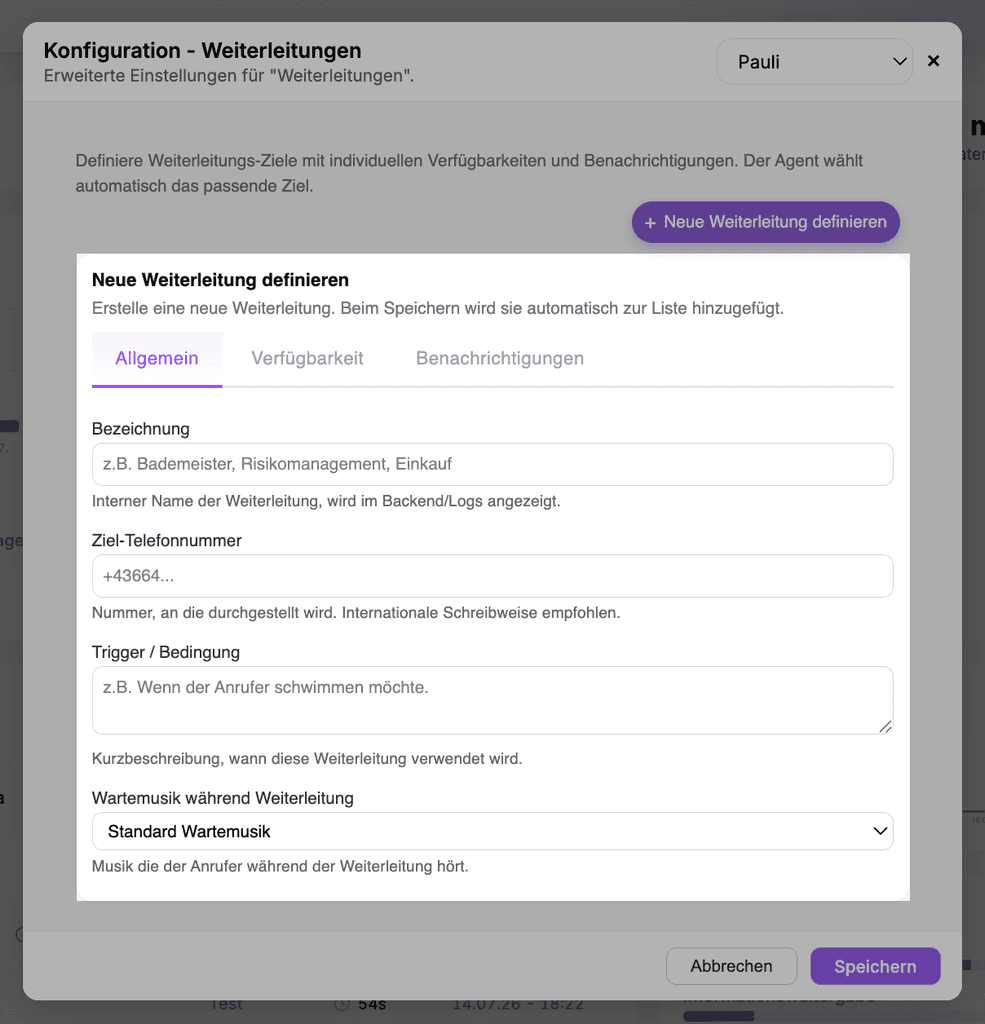
- General tab (“Allgemein”): Enter a Label (“Bezeichnung”), e.g. “Daniel – Technical support”, add the Destination phone number (“Ziel-Telefonnummer”) in international format (+43 …), and under Trigger / Condition (“Trigger / Bedingung”) describe when this destination should take the call – feel free to list several cases one below the other: “When the caller wants to be connected to Daniel” “When the caller has a detailed technical question you can't answer” Then choose the Hold music (“Wartemusik”) the caller hears during the transfer.
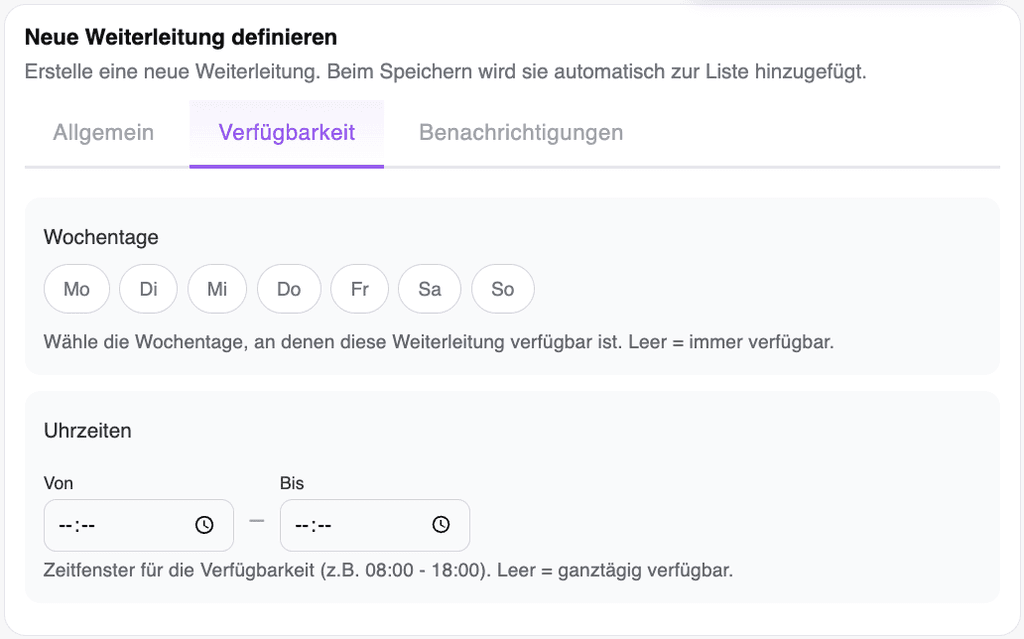
- Availability tab (“Verfügbarkeit”): Set the Weekdays and a Time window (e.g. Mon–Fri, 08:00–18:00). If nothing is selected, the destination is always available, all day. Outside these hours, the agent can't use this destination.
- Notifications tab (“Benachrichtigungen”): Enter the email addresses and SMS numbers that should be notified about transfers – separate multiple entries with commas or semicolons. Optional: Include conversation history in email, SMS on successful transfer, SMS on errors.
- Save (“Speichern”) – and add more destinations if needed. For each call, the agent then decides where to transfer based on the triggers and availability.
Real-world example
An auto repair shop sets up two destinations. The head mechanic handles technical questions, with the trigger “When the caller has a question about a repair or their vehicle” – available Mon–Fri, 08:00–17:00. The on-call number has no time window and is described as “When it's an emergency or a breakdown” – so it covers around the clock. Both get an email with the transcript for every transfer, and at the end of the month the owner can see in the call log how often calls were put through.
Where: AI Telephony (“KI-Telefonie”) → Overview → “Functions” card → Transfers (choose the agent in the top-right corner of the window)
Good to know
- Staff hold mode (“Mitarbeiter-Wartemodus”): If nobody picks up at the destination, the call doesn't just ring out – the caller waits with the agent until a team member joins the conversation from the dashboard. You can turn this on in the Notifications tab.
- Go ahead and set up multiple destinations (tech support, sales, emergencies) – who handles what is controlled entirely by the plain-language triggers, with no menu logic at all.
- Transferred calls are automatically tagged
agent_weiterleitungin the call log – so you can see how often calls get put through. - Transfer minutes are billed separately – you'll find the current status on the Overview under Plan & Usage (“Tarif & Verbrauch”).
- You can also put known callers from your address book straight through without an AI conversation – that's what the address book transfer is for.
Last updated July 16, 2026
Related
- Forwarding Rules: Contact vs. Group – Which One WinsOff, Number or Agent: forwarding rules can be set per contact and per group. Here's how they work together – and which rule takes priority.
- Assign functions: decide what your agent can doSix functions, one checkbox each: decide per agent what it should handle – from requests and call transfers to address book transfers.
- Search & filter the call log – even by conversation contentForgot the number but remember the topic? The call log also searches conversation content. Plus: filters, date ranges and what the call tags mean.
